
It’s certainly possible to have too much of a good thing. In this generation of HD TVs and game consoles, that too much of a good thing can be pixels. If you take some of the great pixel art of old and display it 1:1 on a modern screen, the art ends of being tiny. In order to fully appreciate the pixel art, you need to scale it up.
There are many ways to accomplish this sort of upscaling and, while they may have the same end result, they are not always the same in terms of performance. With that in mind, I decided to write some code and try out some of those methods for myself and see how their relative performance compares.
Using XNA, there are three major ways to upscale sprites to get that retro pixel look:
- Pass a scale to the Draw() call for each sprite
- Use a transformation matrix to scale an entire SpriteBatch
- Draw sprites without scaling to a render target smaller than the screen, then draw that render target scaled-up to the screen
To test out these three methods, I first put together a test application that draws 128 Richter Belmonts to the screen with an appropriate background. To measure performance, I added the good-old frametime measurement code.
Implementing the three methods above, I tried them out in turn on my Xbox 360 to see how they stack-up against each other.
First, passing a scale of 2.0 to each sprite’s draw call:
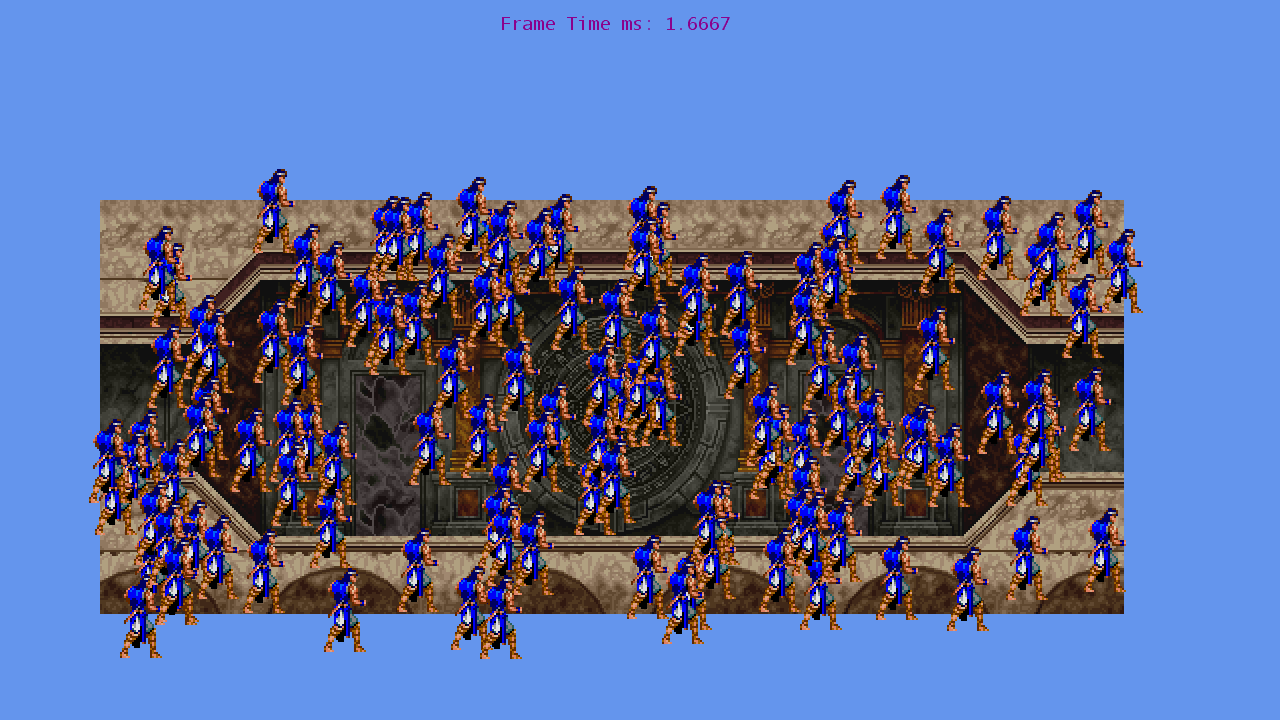
Second, creating a transformation matrix with a scale of 2.0 and passing that to SpriteBatch::Begin():

Finally, I created a 640×360 render target, drew the sprites to that, and then drew the render target to the screen scaled by 2.0:
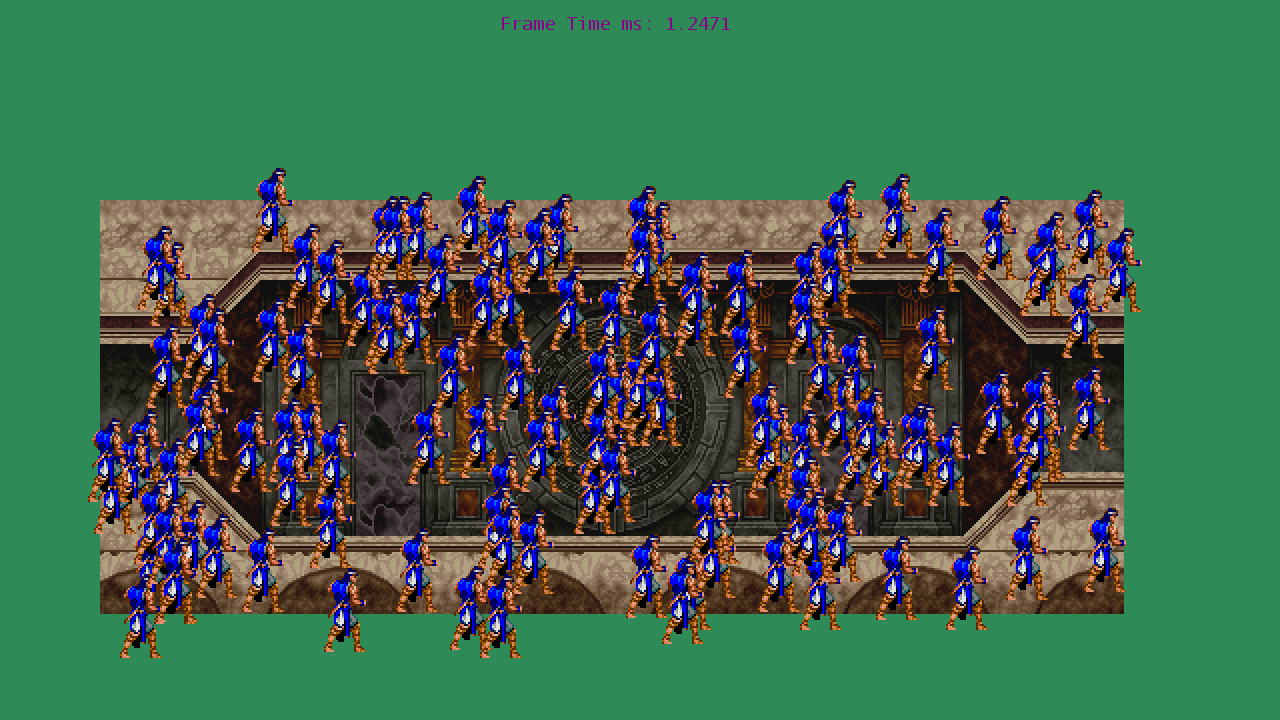
Judging from this sample, scaling via a transformation matrix is slightly faster than scaling each sprite individually, but pales in comparison with the speed boost granted by using a smaller render target. While I expect the speed difference to be smaller the fewer individual draw calls are involved, the performance difference between the render target and non-render target methods should get larger the more sprites are drawn.
Running the test with varying numbers of sprites demonstrates just that:
| Sprites | Draw() Scaling | Begin() Scaling | Render Target Scaling |
|---|---|---|---|
| 64 | 1.1204 ms | 1.1071 ms | 1.1215 ms |
| 128 | 1.6667 ms | 1.6359 ms | 1.2471 ms |
| 256 | 2.7606 ms | 2.7263 ms | 1.5242 ms |
| 512 | 4.9174 ms | 4.8351 ms | 2.1099 ms |
So, there you have it. For a small number of sprites, scaling by transformation just barely edges out upscaling via render target. For any large number of sprites, however, drawing to a small render target then drawing the render target scaled up is faster by a large margin.
For reference, I’ve included the code for my test below:
//#define SCALE_WITH_RENDERTARGET
#define SCALE_WITH_TRANSFORMATION

using System;
using System.Collections.Generic;
using System.Linq;
using Microsoft.Xna.Framework;
using Microsoft.Xna.Framework.Audio;
using Microsoft.Xna.Framework.Content;
using Microsoft.Xna.Framework.GamerServices;
using Microsoft.Xna.Framework.Graphics;
using Microsoft.Xna.Framework.Input;
using Microsoft.Xna.Framework.Media;

namespace LotsOfPixels
{
    /// <summary>
    /// This is the main type for your game
    /// </summary>
    public class Game1 : Microsoft.Xna.Framework.Game
    {
        SpriteFont stopWatchFont;
        System.Diagnostics.Stopwatch stopWatch;

        GraphicsDeviceManager graphics;
        SpriteBatch spriteBatch;

        Texture2D bgTexture;
        Texture2D richterTexture;
        List<Vector2> richterPositions;

        RenderTarget2D scaleupTarget;

        const int RICHTER_COUNT = 64;
#if SCALE_WITH_RENDERTARGET
        const float SPRITE_SCALE = 1.0f;
#elif SCALE_WITH_TRANSFORMATION
        const float SPRITE_SCALE = 1.0f;
#else
        const float SPRITE_SCALE = 2.0f;
#endif

        const int RENDER_TARGET_WIDTH = 640;
        const int RENDER_TARGET_HEIGHT = 360;
        float upScaleAmount;

        float scalingMatrixAmount = 2.0f;
        Matrix scalingMatrix;

        public Game1()
        {
            graphics = new GraphicsDeviceManager(this);
            Content.RootDirectory = "Content";

            graphics.PreferredBackBufferWidth = 1280;
            graphics.PreferredBackBufferHeight = 720;

            this.IsFixedTimeStep = false;
            graphics.SynchronizeWithVerticalRetrace = false;
        }

        /// <summary>
        /// Allows the game to perform any initialization it needs to before starting to run.
        /// This is where it can query for any required services and load any non-graphic
        /// related content.  Calling base.Initialize will enumerate through any components
        /// and initialize them as well.
        /// </summary>
        protected override void Initialize()
        {
            // TODO: Add your initialization logic here
            stopWatch = new System.Diagnostics.Stopwatch();
            stopWatch.Start();

            base.Initialize();
        }

        /// <summary>
        /// LoadContent will be called once per game and is the place to load
        /// all of your content.
        /// </summary>
        protected override void LoadContent()
        {
            // Create a new SpriteBatch, which can be used to draw textures.
            spriteBatch = new SpriteBatch(GraphicsDevice);

            // TODO: use this.Content to load your game content here
            stopWatchFont = Content.Load<SpriteFont>("DefaultFont");

            bgTexture = Content.Load<Texture2D>("bgroom");
            richterTexture = Content.Load<Texture2D>("richterStand01");

            Random rng = new Random(1024);
            richterPositions = new List<Vector2>(RICHTER_COUNT);
            for (int i = 0; i < RICHTER_COUNT; ++i)
            {
                richterPositions.Add(new Vector2(rng.Next(0, (int)(bgTexture.Width * SPRITE_SCALE)), rng.Next(0, (int)(bgTexture.Height * SPRITE_SCALE))));
            }

            scaleupTarget = new RenderTarget2D(GraphicsDevice, RENDER_TARGET_WIDTH, RENDER_TARGET_HEIGHT);
            upScaleAmount = (float)GraphicsDevice.PresentationParameters.BackBufferWidth / RENDER_TARGET_WIDTH;

            scalingMatrix = Matrix.CreateScale(new Vector3(scalingMatrixAmount, scalingMatrixAmount, 1.0f));
        }

        /// <summary>
        /// UnloadContent will be called once per game and is the place to unload
        /// all content.
        /// </summary>
        protected override void UnloadContent()
        {
            // TODO: Unload any non ContentManager content here
        }

        /// <summary>
        /// Allows the game to run logic such as updating the world,
        /// checking for collisions, gathering input, and playing audio.
        /// </summary>
        /// <param name="gameTime">Provides a snapshot of timing values.</param>
        protected override void Update(GameTime gameTime)
        {
            // Allows the game to exit
            if (GamePad.GetState(PlayerIndex.One).Buttons.Back == ButtonState.Pressed ||
                Keyboard.GetState().IsKeyDown(Keys.Escape))
                this.Exit();

            // TODO: Add your update logic here

            base.Update(gameTime);
        }

        /// <summary>
        /// This is called when the game should draw itself.
        /// </summary>
        /// <param name="gameTime">Provides a snapshot of timing values.</param>
        protected override void Draw(GameTime gameTime)
        {
            long ticks = stopWatch.ElapsedTicks;
            TimeSpan drawTime = stopWatch.Elapsed;
            stopWatch.Reset();
            stopWatch.Start();

            Vector2 richterOrigin = new Vector2((float)richterTexture.Width * 0.5f, (float)richterTexture.Height * 0.5f);
            Vector2 baseRenderPos = Vector2.UnitX * 50.0f * SPRITE_SCALE + Vector2.UnitY * 100.0f * SPRITE_SCALE;

#if SCALE_WITH_RENDERTARGET
            GraphicsDevice.SetRenderTarget(scaleupTarget);
            GraphicsDevice.Clear(Color.SeaGreen);
            spriteBatch.Begin(
                SpriteSortMode.BackToFront,
                BlendState.AlphaBlend
                );
#elif SCALE_WITH_TRANSFORMATION
            GraphicsDevice.Clear(Color.LightBlue);
            spriteBatch.Begin(
                SpriteSortMode.BackToFront,
                BlendState.AlphaBlend,
                SamplerState.PointClamp,
                null,
                null,
                null,
                scalingMatrix);
#else
            GraphicsDevice.Clear(Color.CornflowerBlue);
            spriteBatch.Begin(
                SpriteSortMode.BackToFront,
                BlendState.AlphaBlend,
                SamplerState.PointClamp,
                null,
                null,
                null);
#endif

            spriteBatch.Draw(bgTexture, baseRenderPos, null, Color.White, 0.0f, Vector2.Zero, SPRITE_SCALE, SpriteEffects.None, 1.0f);

            for (int i = 0; i < RICHTER_COUNT; ++i)
            {
                spriteBatch.Draw(richterTexture, richterPositions[i] + baseRenderPos, null, Color.White, 0.0f, richterOrigin, SPRITE_SCALE, SpriteEffects.None, 0.0f);
            }

            spriteBatch.End();
#if SCALE_WITH_RENDERTARGET
            GraphicsDevice.SetRenderTarget(null);

            spriteBatch.Begin(
                SpriteSortMode.Texture,
                BlendState.AlphaBlend,
                SamplerState.PointClamp,
                null,
                null);
            spriteBatch.Draw(scaleupTarget, Vector2.Zero, null, Color.White, 0.0f, Vector2.Zero, upScaleAmount, SpriteEffects.None, 0.0f);
            spriteBatch.End();
#endif
            spriteBatch.Begin();
            spriteBatch.DrawString(stopWatchFont, "Frame Time ms: " + drawTime.TotalMilliseconds, Vector2.UnitX * 500.0f + Vector2.UnitY * 10.0f, Color.DarkMagenta);
            spriteBatch.End();

            base.Draw(gameTime);
        }
    }
}


Pingback: Black and White Monitor Pixel Shader | Game Dev Without a Cause